

If you are searching for a Rambox alternative, the first question is not which app has more features. It is what you are trying to accomplish when you sit down at your computer. Someone who wants Gmail, Slack, WhatsApp, project management and a dozen other services under one roof has different needs from someone who simply wants to switch between four email inboxes without opening four browser profiles.
Rambox has a legitimate answer for the first person. InboxCabin is built for the second. Understanding that difference can save you an afternoon of testing software you never needed in the first place.

Try InboxCabin free for 30 days. No credit card required.
 Start Free Trial
What Rambox is designed to do
Rambox describes itself as a workspace for web applications. Its published help documentation explains how apps can live in workspaces, how different browser sessions can be assigned to profiles, and how those profiles help keep accounts separate. In practice, that means email can sit alongside chat, collaboration tools, calendars and other work services. This can be useful when your day revolves around coordinating all of those channels at once.
Rambox also supports multiple accounts for the same service. Its official account-management guide explains how different app instances can have separate sessions. That is an important capability, not something to dismiss. The question is whether you want the rest of the workspace around it.
If you already love having every web app in one environment, a focused email tool may feel too limited. That is a reasonable choice. But a person looking for a lighter way to handle Gmail and Microsoft accounts may have a different definition of productivity: fewer features between them and the next email.
When an all-in-one workspace becomes more than you need
Imagine a business owner with three Outlook inboxes, two Gmail accounts, Slack in a browser tab, an accounting platform and a CRM. They may spend a significant part of the day in email, yet still prefer the browser for everything outside email. Moving every service into a new workspace would change the way they work without solving any additional problem they care about.
More settings are not inherently bad. However, every new navigation layer and app category creates another decision. The issue is not whether Rambox can manage many tools; it can. The issue is whether a multi-tool interface is the best place for a user whose main complaint is having to sign into multiple mailboxes repeatedly.
A simple test is to write down your three most common actions. If they are “open a particular inbox,” “reply from that account,” and “switch to the next inbox,” you probably do not need an extensive productivity platform to do those things. If your top three actions involve switching among email, messaging, project boards and web apps, broader software deserves consideration.
What an email-first alternative looks like
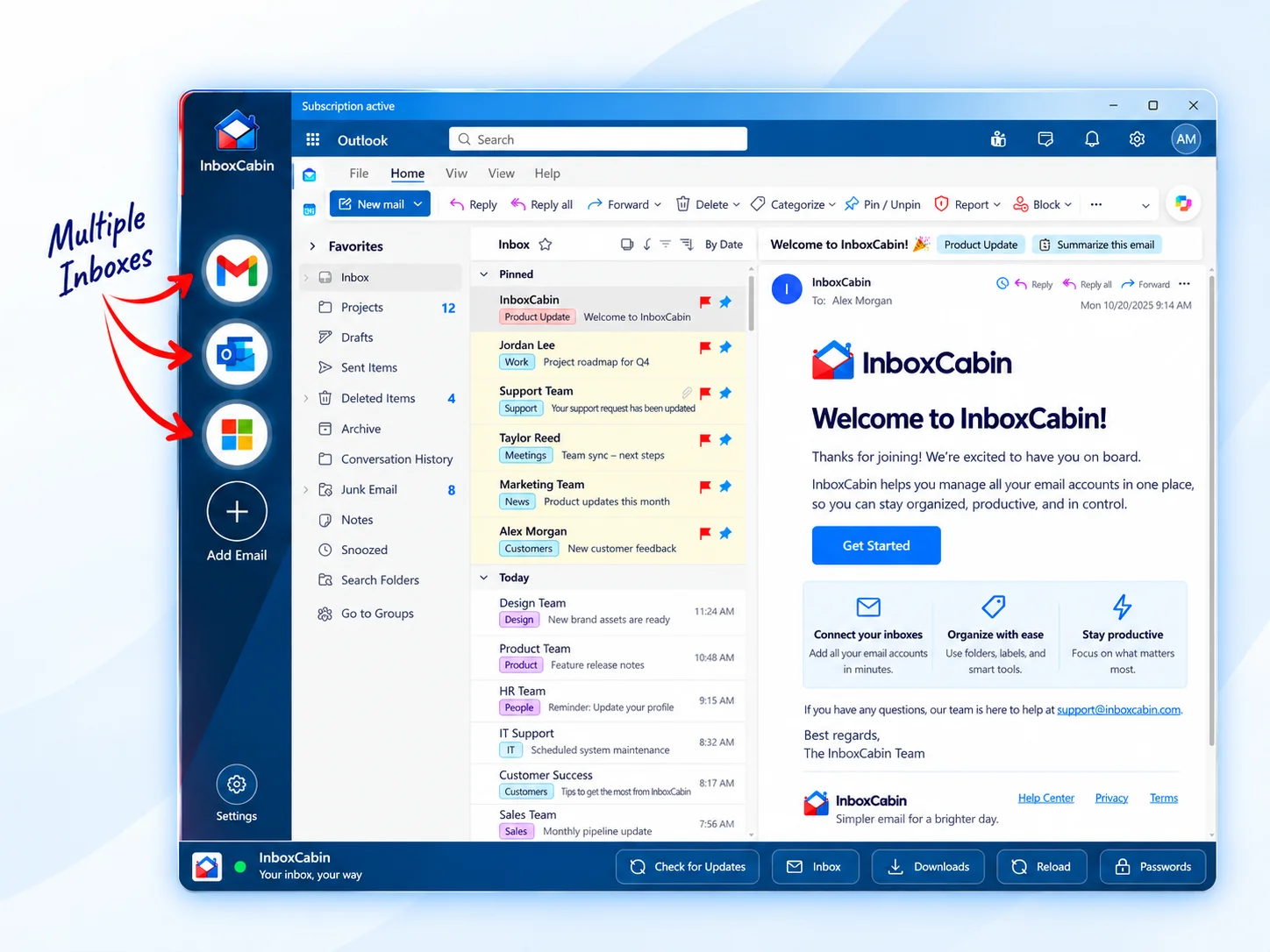
InboxCabin takes the narrower approach. It is a Windows desktop application intended to give Gmail and Microsoft mailboxes a dedicated home. You can keep separate inbox identities visible in a sidebar and switch between them while leaving your ordinary web browser free for the rest of your work.
That separation matters. You can continue using the browser you already know, with the extensions, bookmarks and tabs you have already organized. InboxCabin does not ask you to move your Slack conversations, your client portal or your spreadsheets into an unfamiliar environment. It focuses on the recurring annoyance of getting into the right email account quickly.
The familiar Gmail and Outlook interfaces also reduce the learning curve. InboxCabin is not promising an entirely new mail client with a unified message database. Instead, it provides a dedicated place to access the providers you already use. Google or Microsoft may occasionally ask you to sign in again or complete multifactor verification; their security rules still apply.
For a practical next step, see how to compare Chrome profiles with a dedicated email app.
30-day free trial. No credit card required.

Rambox versus InboxCabin: choose by the job
Choose an all-in-one workspace when you want one application to organize many services, use shared profiles across web apps or coordinate communication from multiple channels. Rambox publishes extensive documentation for those scenarios, and its flexibility is part of its appeal.
Choose an email-first desktop app when you have multiple Gmail or Microsoft accounts but do not want your email utility to become your primary browser. Your goal may be as small as keeping five mailboxes visible and making one-click account switching a daily habit. That small improvement can be valuable if repeated many times each day.
Before switching, also consider your computer and workplace rules. Work-managed Microsoft accounts may have additional authentication policies. A company may restrict desktop software. If your job requires an approved corporate email client, check with IT before installing an alternative workspace. Software convenience should never come at the cost of bypassing security policies.
A practical way to test a Rambox alternative
Start with two inboxes you use every day, ideally one Gmail and one Microsoft account if you have both. Install the application on Windows, connect the accounts using the providers’ normal sign-in processes, and switch between them while working through your normal morning routine.
Then ask three specific questions: Did I find the correct inbox quickly? Did I feel tempted to go back to browser profiles? Did I encounter extra sign-ins or confusing prompts? If the answer is positive, add the remaining inboxes. If you rely on features from a broader workspace, make a list of them rather than assuming they will be present in a simpler application.
Do not judge an email utility by the number of integrations on its features page. Judge it by how little time it takes to perform the task you actually care about.
The bottom line
Rambox and InboxCabin approach the same account-switching problem from different directions. Rambox is designed for a wide range of web apps; InboxCabin focuses on Gmail and Microsoft inboxes inside a dedicated Windows desktop experience. Neither approach is universally better.
If you are looking for a Rambox alternative because you want less software around your email, not more, download InboxCabin and try the email-first approach. The 30-day trial gives you time to see whether a focused tool fits the way you already work.
Try InboxCabin free for 30 days. No credit card required.
Start Free TrialWant more background? Read why some users are returning to simpler email management.