

When people say they miss an older version of a product, they are usually not asking to freeze time. They are describing a workflow that used to feel natural.
That is the real story behind a lot of conversation around Shift Legacy. Users are not necessarily resisting change for the sake of it. Many of them are reacting to the loss of something practical: a fast, familiar way to handle multiple email accounts without excess complexity.
If you have found yourself missing the old Shift experience, it helps to get specific about what you actually miss. Once you know that, it becomes much easier to find a replacement that serves the same purpose.
Try InboxCabin free for 30 days. No credit card required.
 Start Free Trial
Why older workflows are hard to replace
Email is one of those tools people use by habit more than by theory. You do not sit down and redesign your email behavior every morning. You rely on muscle memory, repeatable patterns, and a workspace that stays out of your way.
That is why even small changes can feel bigger than they look. A different account-switching pattern, a more crowded interface, or a new browsing-centric mental model can all introduce friction. The friction may be minor in isolation, but when you repeat it all day long, it becomes tiring.
Older workflows also tend to earn trust over time. If a user ran several accounts through the same product for years, they are not just attached to the brand. They are attached to the predictability.
For background on the original product’s capabilities, see Shift’s legacy browser documentation. The details are useful history, not a reason to assume every previous feature should appear in a modern email-only alternative.
The qualities people actually miss
Most of the time, users do not literally miss every old pixel. They miss a handful of core qualities.
First, they miss speed. Open the app, click the account, get moving. Second, they miss clarity. It should be obvious which inbox you are in and how everything is organized. Third, they miss separation. Many users liked having email live in a dedicated place rather than blending into a broader browser-style environment.
And finally, they miss restraint. A restrained product respects the fact that not every customer wants an ecosystem. Some just want an efficient tool. That is what many longtime users really mean when they say they miss the old version.
You can test this with a simple checklist: can you identify each account from its icon without reading a long label? Can you move from a work inbox to a personal inbox in one action? Does the app remember your organization on restart? And does the main browser remain available for everything else? Those are more useful questions than whether the interface resembles an old version pixel for pixel.
30-day free trial. No credit card required.

How to recreate a fast, focused setup
The good news is that you do not need to recreate the past perfectly. You only need to recreate the part that mattered. In practice, that means choosing a tool built around a narrow, valuable use case: managing multiple inboxes cleanly.
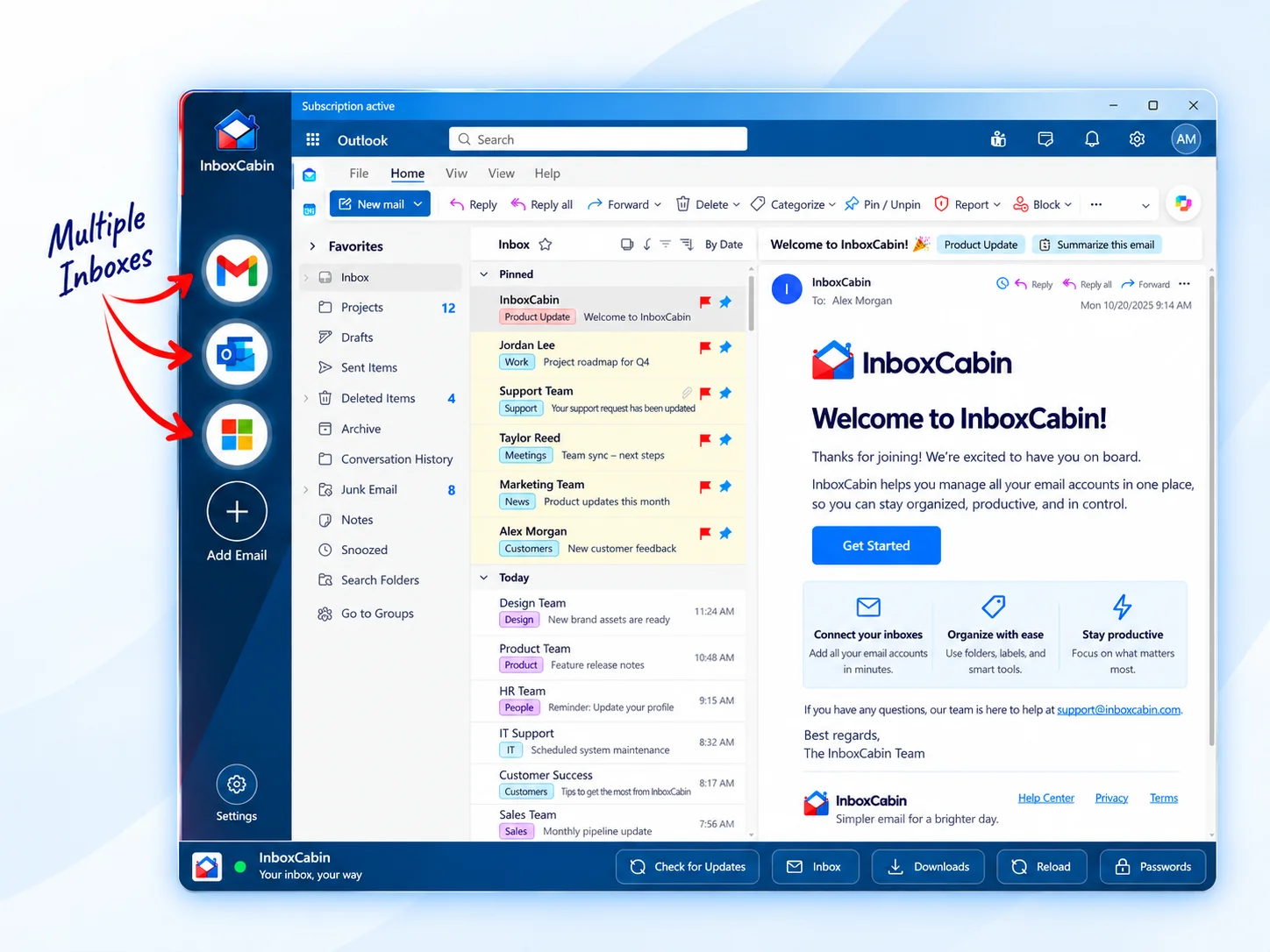
InboxCabin approaches the problem from that angle. It is a desktop app designed to make Gmail and Microsoft inboxes easy to manage from one place. Instead of asking you to migrate your broader work life into a new browser environment, it keeps the focus on your email accounts.
That focus makes it easier to rebuild a workflow that feels quick again. You add your inboxes, keep them visible in the sidebar, and switch with a click. Your normal browser remains available for the rest of your web work. For users who miss a dedicated email workspace, that structure often feels much closer to what they actually want.
A word about setup: a new desktop application usually does not inherit another application’s active login sessions. You should expect to authenticate Gmail or Microsoft again, including MFA where required. That is normal and preferable to any promise that credentials can simply be copied between unrelated products. The goal is a familiar, efficient workflow after setup, not a risky shortcut around account security.
Where InboxCabin fits
InboxCabin is not trying to win by promising everything. It is trying to win by doing one specific job well. That makes it a strong fit for users who are less interested in integrated app sprawl and more interested in getting their inboxes under control.
If you are a business owner, consultant, or operator with multiple email identities, that matters. The product should reduce friction, not add another layer of it. A simple desktop workspace can be the right answer precisely because it does less.
You may still need to sign into your accounts, and your actual email providers still matter. But once you are inside the app, the workflow is intentionally straightforward. That is what helps bring back the feeling many users are missing.
For context on why familiar routines changed, see our overview of the Shift Legacy transition and what email users need now. To put a focused setup into practice, read how to switch from Shift without rebuilding your workflow.
Final thoughts
Missing an older workflow is not the same as being afraid of change. Often it means you understand your own needs better than the product roadmap does.
If what you loved about Shift was the fast, focused feeling of managing multiple inboxes without extra complexity, there is a clear next step: choose a simpler tool that is built for that same core job.
InboxCabin was built for users who want that focused desktop experience back. If that sounds like you, download it and see how quickly a simpler email workflow can feel familiar again.
Try InboxCabin free for 30 days. No credit card required.
Start Free TrialInboxCabin is an independent Windows app and is not affiliated with Shift. Gmail and Microsoft may require sign-in and multifactor authentication. “Lighter” describes a focused workflow, not a measured memory or speed comparison.