

Wavebox is interesting because it has a very different ambition from a simple email utility. It wants to be the workspace where your web apps live. That can be attractive for people whose days involve dozens of online services. But if your real goal is to manage a handful of email addresses, adopting an entire productivity browser can feel like solving a small problem with a large tool.
This guide looks at the choice without treating either approach as a mistake. The practical question is whether you want your work apps and inboxes integrated together, or whether you prefer a standalone home for Gmail and Outlook while your normal browser handles everything else.

Try InboxCabin free for 30 days. No credit card required.
 Start Free Trial
What Wavebox offers and who it helps
According to the Wavebox features page, the product brings web apps together in an app-centric browser with sidebar navigation, account separation and workflows aimed at productivity professionals. It supports people who spend much of the day inside tools such as Teams, Slack, task managers and browser-based business systems.
This is a genuine advantage if your work depends on coordinating many services. Instead of maintaining a collection of browser windows, you can make an app-oriented workspace the center of your day. Account separation is useful when the same service has different identities, such as a personal Google account and a work Google account.
But the same design can feel unnecessary when your browser is already organized. Maybe Chrome or Firefox is where you prefer to research, access SaaS dashboards, watch training videos and use extensions. You may not want another application to manage those tasks. You may only want email lifted out of the clutter.
The difference between an email app and a productivity browser
A productivity browser tries to consolidate a digital workflow. A dedicated multi-inbox app solves a narrower communication problem. Those sound similar because both can display multiple webmail accounts, but they produce different daily experiences.
With a broad workspace, you may learn how groups, spaces, apps, browser behavior and accounts interact. The payoff is more integration. With an email-first app, the navigation can remain focused on your inboxes. The payoff is clarity: select a mailbox, read and respond, and return to the rest of your day.
This distinction matters especially on a dual-monitor workstation. Plenty of people want Outlook and Gmail on one screen while their normal browser remains on the other. For that customer, adding general browsing to the email manager does not necessarily improve anything. It may simply duplicate a tool they already like.
When a simple desktop app makes more sense
Consider a consultant managing a personal Gmail account, a business Gmail account and two client-related Microsoft inboxes. Each one is important, and each one represents a different identity. The consultant does not need to open a messaging platform every time they check email; they need to know which account they are viewing and be able to switch without friction.
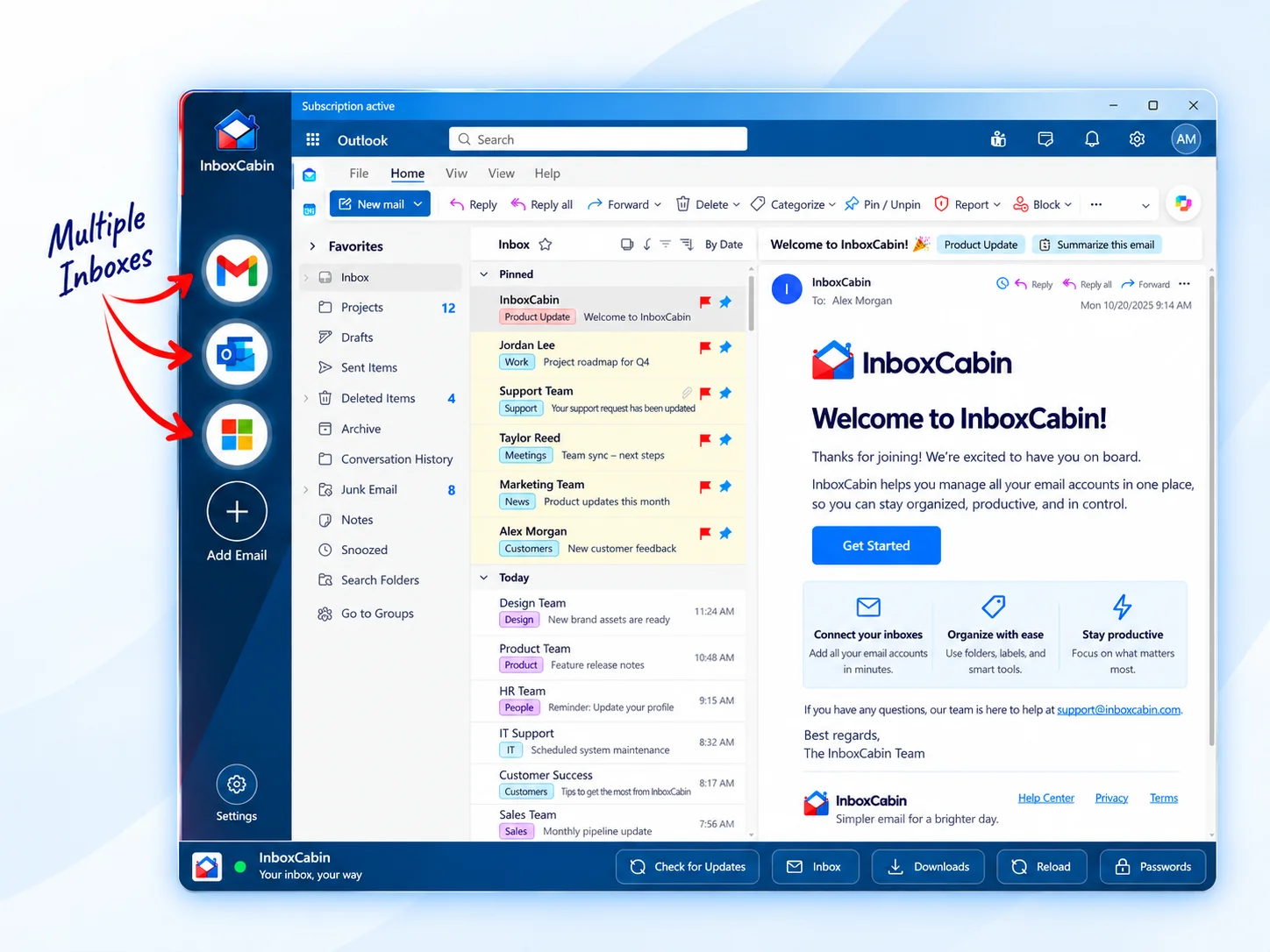
InboxCabin was designed around that scenario. It keeps the existing Gmail and Microsoft webmail experiences within one Windows desktop application. Users see their inboxes in a left-hand navigation, choose the account they need and continue using their usual browser for everything else.
It is deliberately not positioned as an all-in-one productivity environment. That matters because adding unrelated apps would dilute the product’s purpose. The feature you want is not “support for hundreds of services.” It is an email workflow that is obvious within seconds of opening the application.
For a practical next step, see how to keep email separate from your web browser.
30-day free trial. No credit card required.

What you gain—and what you give up
A focused product tends to be easier to understand. New users have fewer setup decisions, a shorter learning curve and a clear definition of what success looks like. It can also feel calmer. When the app only exists for inboxes, you are less likely to drift into other work every time you open it.
You also give up breadth. InboxCabin does not aim to replace a browser, unify all SaaS dashboards or manage your chat tools. It does not create one combined Gmail-and-Outlook inbox with messages from both providers merged into a new database. Each email provider remains responsible for its own message interface and authentication.
For some users, those limitations are advantages. For others, they are disqualifying. The answer depends on your existing workflow. If you constantly use many web apps as a single operating system, a productivity browser may be the stronger fit. If you want email organized and out of the way, narrow software can be better.
How to compare Wavebox with InboxCabin fairly
Do a workday test instead of a features comparison. List the inboxes you actually use, connect them in each application and perform your usual morning routine: check urgent messages, reply from the correct account, move to the next mailbox and return to your main task.
Record the number of steps that felt unnecessary. Did you have to navigate through unrelated apps? Were the mailbox names and icons clear? Did you need to remember which browser profile was active? Did the layout stay understandable when you added a fourth or fifth account?
Then test the other half of your day. If you rely on non-email integrations inside Wavebox, recognize that a dedicated email app is intentionally not replacing those workflows. You can still use the tools you prefer through your normal browser.
A simpler answer to a common frustration
The best Wavebox alternative for you may depend less on price or total features and more on whether you want a new browsing experience at all. People who enjoy a unified app workspace should keep that option. People who want an email-only desktop utility deserve a simpler choice.
If you are in the latter group, try InboxCabin for Windows. Add your Gmail and Outlook accounts, use it alongside your preferred browser, and see whether separation makes your day feel less complicated. There is no need to rearrange your whole digital life just to manage your inboxes.
Try InboxCabin free for 30 days. No credit card required.
Start Free TrialWant more background? Read why some users are returning to simpler email management.