

Email can consume an entire morning if you let every incoming message set the agenda. This is especially true for people who run more than one business, manage several client relationships or keep multiple personal and work inboxes open throughout the day.
A short, structured email session will not solve every communication problem. Some businesses genuinely need immediate responses to certain messages. But for the large middle ground of routine email, a repeatable fifteen-minute process can help you stay responsive without constantly interrupting important work.

Try InboxCabin free for 30 days. No credit card required.
 Start Free Trial
Why the inbox should not run your schedule
Every new email competes for attention, but arrival time is not the same as importance. A promotional message, internal update and urgent customer request may land within seconds of one another. If you react to all three in order, the sender—not you—decides how your time gets spent.
A fifteen-minute routine changes the decision point. You choose when to check, and then you process messages according to a consistent system. You can still maintain an exception for truly urgent channels or high-value leads. The point is not to become unreachable. It is to stop treating every new notification as an emergency.
This distinction is especially useful for entrepreneurs who alternate between communication and focused execution. Your company benefits when you answer customers, but it also benefits when you finish the work those customers are paying for.
Minutes 1–3: scan for genuinely urgent items
Start with your most important account. Look for messages tied to live commitments: a customer waiting on a time-sensitive answer, a transaction requiring confirmation, or a team member blocked on your decision. Do not open every message in detail yet. This is a scan, not a deep reading session.
If you manage several inboxes, use the same order each time. One primary business inbox might deserve the first pass, followed by support, another business account and personal mail. Clear mailbox labels help you move quickly without wondering where you are.
Mark what requires a response in this session. If a message is important but will take substantial work, turn it into a task rather than trying to finish an entire project inside the inbox.
Minutes 4–9: respond, delegate or schedule
Work through the small number of messages that can be resolved quickly. A useful rule is to send a short, accurate response when the answer is already known and requires little extra research. If something needs input from someone else, delegate it with a clear owner and deadline.
For messages that require a longer response, acknowledge receipt if appropriate and schedule a dedicated block of time. That is usually better than half-writing a complex answer while other work is waiting. Keep your list of follow-ups somewhere dependable—a task manager, calendar or a disciplined email flagging system.
Avoid repeatedly reopening the same message. If you have already decided what should happen next, record that decision and move on. The routine works because it turns email into actions rather than an endless series of rereads.
For a practical next step, see how to manage five or more email accounts.
30-day free trial. No credit card required.

Minutes 10–13: clear low-value clutter
Now deal with the messages that do not deserve your attention. Archive updates you have already read, unsubscribe from newsletters you no longer use, and delete obvious junk. If your provider has filters or rules that reliably handle recurring messages, consider setting them up. For an authoritative starting point, review Google’s Gmail filter instructions for the Gmail accounts you own.
Be cautious with aggressive automatic filtering. A message that looks routine may occasionally be important, and rules should be tested before being applied broadly. It is usually safer to reduce notifications and use clear categories than to rely on rules that silently bury unfamiliar senders.
If your inbox contains a steady stream of promotional outreach, do not spend every session arguing with individual senders. Use the spam tools supplied by Gmail or Microsoft and move on. Your job is to process useful communication, not personally administer the entire internet.
Minutes 14–15: check every account and close the loop
The final two minutes are a safety check. Did you skip an inbox? Is there a flagged message that needs a deadline? Did you reply from the correct email identity? Is there anything you committed to that should go on your calendar?
This closing step matters because multiple accounts increase the risk of forgetting a less frequently used address. A predictable order helps, but a short checklist makes the habit resilient when the day gets chaotic.
Then close the session. Unless something urgent appears, return to your main work. Email will still be there when you schedule the next review.
Make account switching easy enough to disappear
A fifteen-minute routine becomes harder when you have to spend part of the session finding the correct Gmail tab, opening another browser profile or signing into a Microsoft account. These are small delays, but they consume the very time the routine is meant to protect.
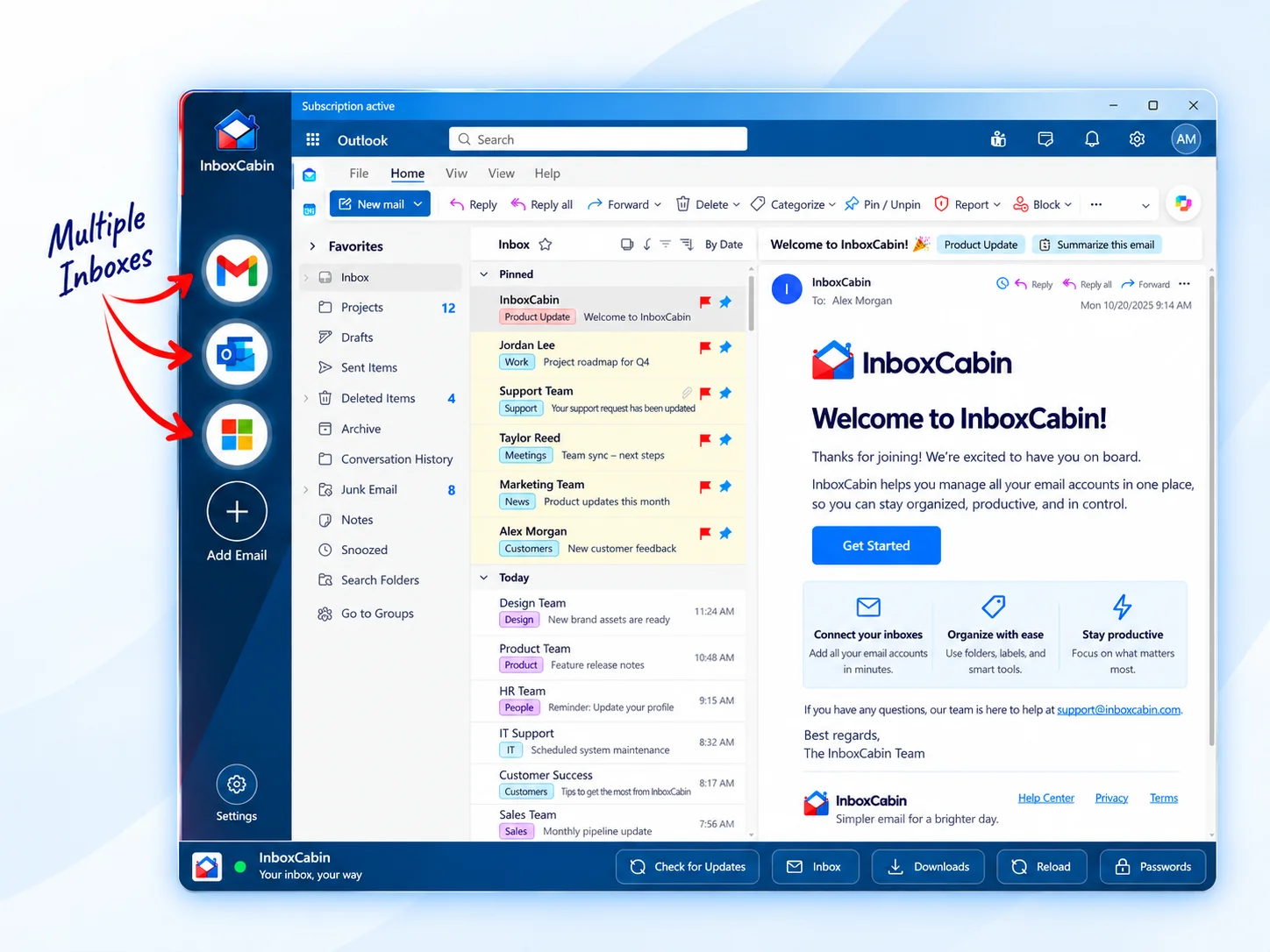
InboxCabin is designed to remove that specific friction. It gives Gmail and Microsoft accounts one dedicated Windows desktop home, with the inboxes visible in a sidebar. You choose the account you need rather than navigating through a collection of browser contexts. The underlying Gmail and Outlook interfaces remain familiar.
You do not need InboxCabin to follow the routine, of course. Any setup that lets you reach the right inbox quickly can work. The important requirement is that the tools do not become the main task.
Adapt the routine to your real workload
Fifteen minutes is a useful starting point, not an arbitrary law. Someone with a customer-support obligation or a high-value sales queue may need more frequent checks. Someone receiving mostly low-priority messages may need fewer. Adjust the frequency to the consequences of delay.
You may also find that a single daily session is not enough. Try three short windows—morning, midday and late afternoon—while preserving uninterrupted time between them. Measure whether important responses are happening on time and whether your larger projects are advancing.
Less reacting, more finishing
The goal is not to achieve a perfectly empty inbox. It is to give email an appropriate share of your attention so you can do the work behind the messages. Scan, respond, delegate, clear clutter and move on.
If managing several inboxes makes that routine awkward, download InboxCabin and try keeping them in one focused desktop app. A simpler account-switching workflow can make it easier to build a consistent routine that actually survives a busy week.
Try InboxCabin free for 30 days. No credit card required.
Start Free TrialWant more background? Read our introduction to InboxCabin.