

You like Gmail but do not want it lost inside a crowded browser session all day.
The good news is that most multi-account email problems are solvable once you stop treating them like random annoyances and start treating them like workflow design issues. In other words, the problem is often not email itself. The problem is the environment around it.
A better setup should make the right account easier to open, the right notification easier to notice, and the right response easier to send.
Try InboxCabin free for 30 days. No credit card required.
 Start Free Trial
Why this problem happens
Most people build their email setup one shortcut at a time. They add a browser tab here, a pinned window there, maybe a second profile later. After a while, the setup technically works, but it no longer feels intentional.
- Gmail is fundamentally web-based
- most people default to the browser even when they want a more app-like experience
- notifications and account switching become messy when Gmail shares space with everything else
Fixes to try first
Before you switch products, fix the basics. Cleaner account separation and a more deliberate desktop layout often improve email management immediately.
- Install Gmail as a site app from a Chromium-based browser if you want a quick native-feeling shortcut.
- Create separate browser profiles if you run more than one Gmail identity.
- Use pinned taskbar shortcuts so work and personal Gmail are visually distinct.
- If you also use Microsoft accounts, test a dedicated workspace built for both providers rather than making Gmail solve the whole problem.
What usually changes the workflow for good
The real win is not the icon in your taskbar. The real win is giving email its own place so it stops competing with the rest of your browsing activity.
That is why the best setups tend to reduce ambiguity. You want fewer places to check, clearer visual cues, and less mental effort just to know where you are.
30-day free trial. No credit card required.
A practical setup plan
If you are rebuilding your setup, keep it simple. Start with the accounts that matter most, then test the structure for a few days before adding extras. Resist the urge to build a perfect system in one sitting.
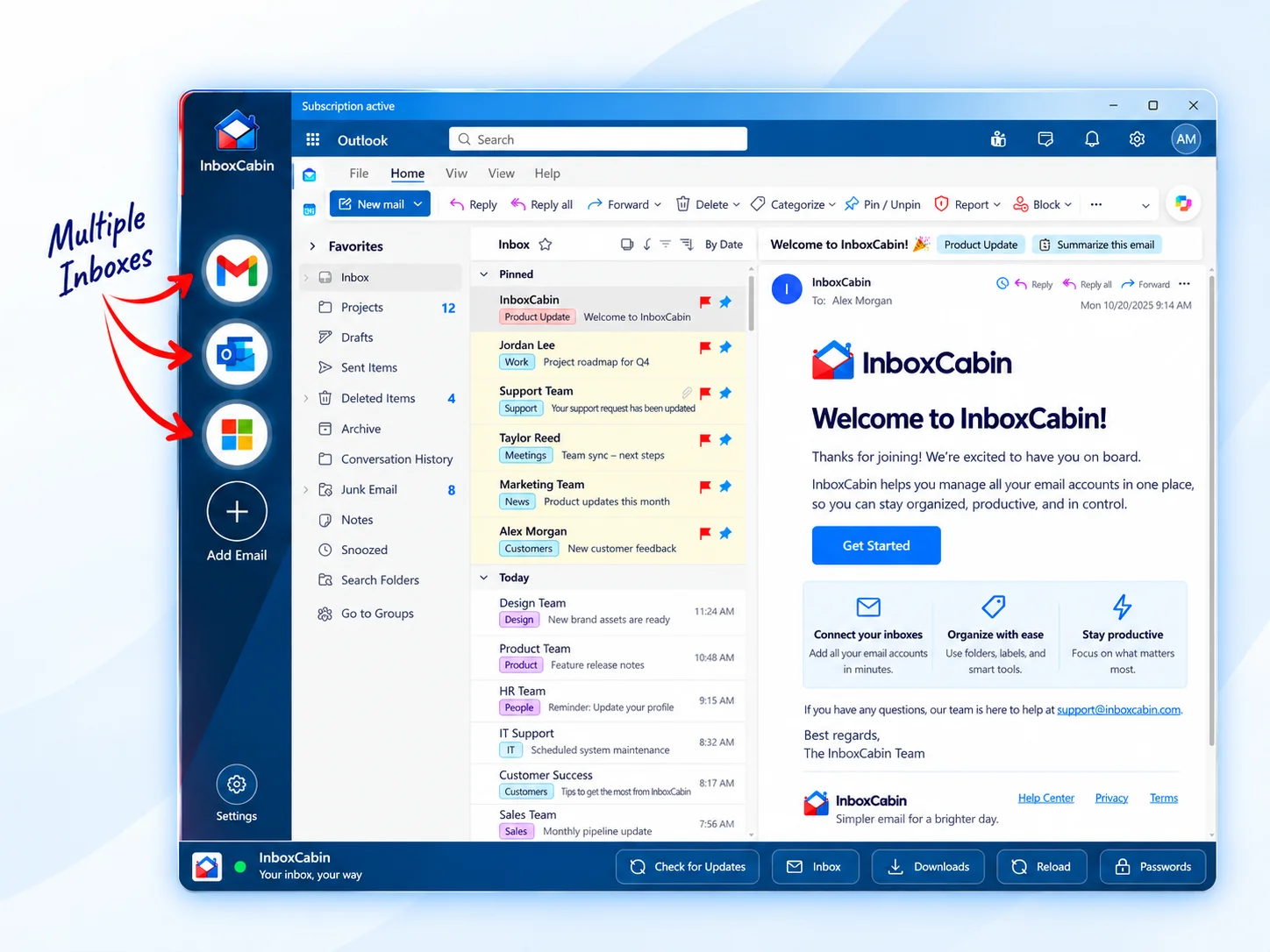
InboxCabin is attractive when you want that dedicated desktop feel but also need Outlook or Microsoft 365 alongside Gmail.
For provider-specific details, start with official help pages like Google’s multiple-sign-in help, Google’s Gmail Help, Microsoft Outlook support, and Microsoft’s Windows notification guidance when relevant.

Common setup mistakes to avoid
Most people improve one part of their email setup and accidentally leave the rest untouched. They create a desktop shortcut but keep using one giant browser profile. Or they add more accounts but never rename them clearly. Those half-fixes often help a little, but they do not solve the deeper workflow problem.
- Avoid adding more tabs when what you really need is more structure.
- Avoid using the same visual identity for several important accounts.
- Avoid rebuilding everything at once; keep the test small and practical.
A simple rule works well: if a setup step would not make sense to you six months from now on a busy day, it is probably too fragile. Build for the version of you that is rushed, distracted, and trying to respond quickly.
What a good end-state looks like
A strong Windows email setup is boring in the best possible way. You know exactly where each inbox lives. Notifications arrive from the right place. Shortcuts are obvious. Opening the correct account takes almost no thought. That may not sound glamorous, but it is what turns email from a constant interruption into a manageable part of the workday.
Bottom line
The best email setup is the one that feels obvious at 8:00 a.m. on a busy Tuesday, not the one that sounded clever when you first configured it.
Related reading: Kiwi for Gmail Alternatives: What If You Also Use Outlook?, Why Does Gmail Keep Opening the Wrong Account?, Free Ways to Manage Multiple Email Accounts on Windows.
Try InboxCabin free for 30 days. No credit card required.
Start Free Trial