

Some tools try to be a home for everything. Others intentionally stay narrow so the product remains simple.
That matters because most people are not just choosing software anymore. They are choosing a workflow. If an app looks good in a feature list but makes you slower or more confused during a normal workday, it is not actually the right fit.
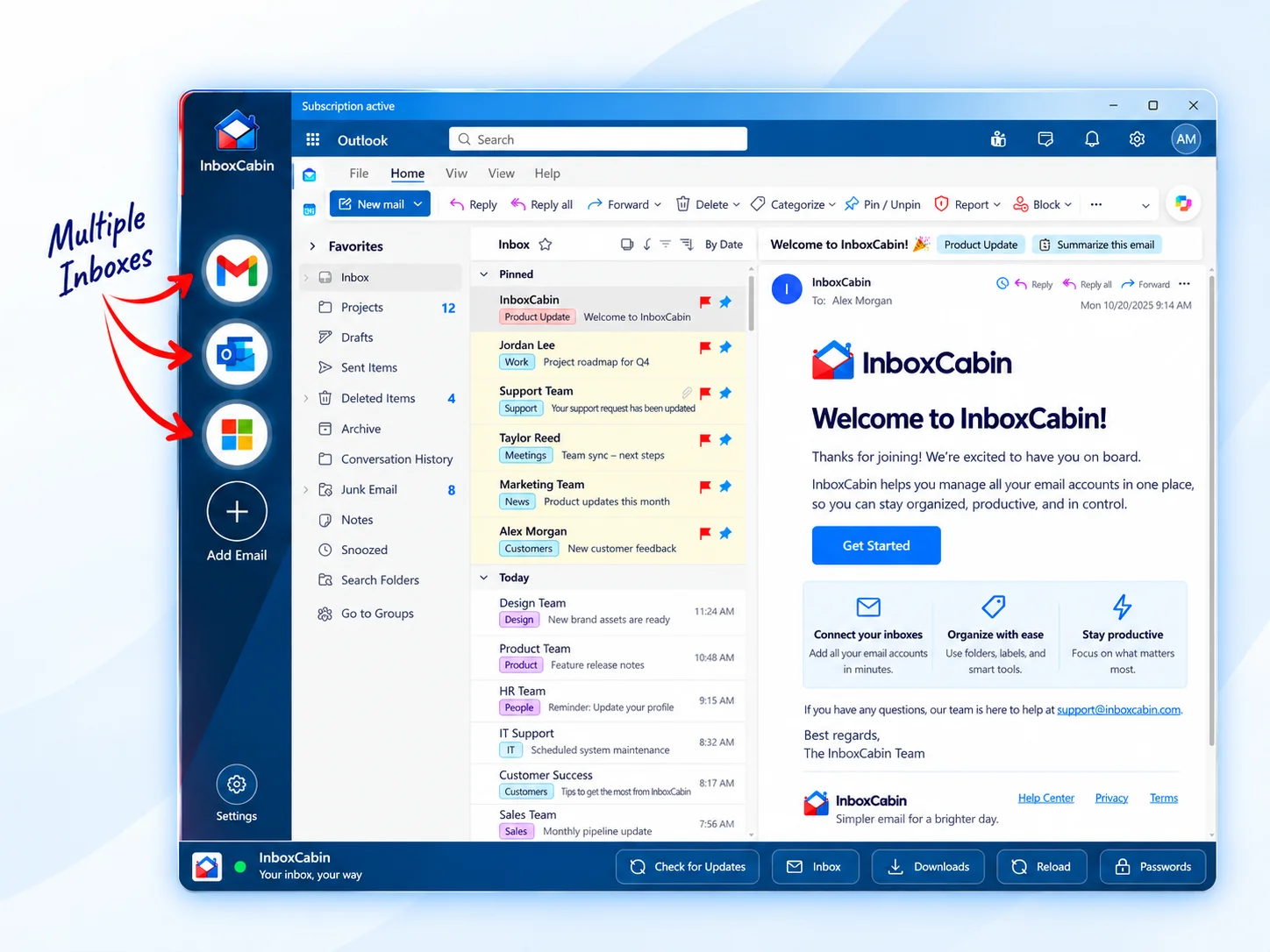
Singlebox-style tools are interesting if you genuinely want one container for many different web apps. InboxCabin is the better fit if the thing you care about most is email, especially multiple Gmail and Microsoft accounts.

Try InboxCabin free for 30 days. No credit card required.
 Start Free Trial
What problem are you actually trying to solve?
Before comparing products, it helps to get specific about the job in front of you. Some people want a traditional desktop mail client. Some want the default Microsoft experience. Others simply want easier access to multiple Gmail and Microsoft inboxes without living inside a crowded browser session all day.
That is why comparisons around Singlebox and InboxCabin can feel confusing. Two tools can both be good and still be good for different reasons. The right question is not just “Which is better?” It is “Which one removes the most friction from my actual day?”
Where this option works well
Every credible option on Windows has a lane where it makes sense. That is why it is important to evaluate fairly rather than assuming one style of product should win every comparison.
- an all-app workspace can be convenient for certain power users
- a focused workspace usually feels simpler and easier to maintain
- the right choice depends on whether email is part of your job or the center of it
Where people still get frustrated
The most common disappointment comes from choosing based on features alone. Users install a new tool, move their accounts over, and then discover that the daily workflow still feels messy. The tab clutter may remain. Notifications may still feel chaotic. Account boundaries may still be fuzzy.
- the more services you blend together, the easier it is to recreate browser chaos in a different shell
- many people do not need a general app launcher when they are only trying to clean up email
- extra flexibility can come with extra distraction
Where InboxCabin fits
InboxCabin intentionally does less. That is a strength if you want less context switching, less clutter, and a workspace built around email rather than every tool you use.
That distinction matters. InboxCabin is not trying to be every kind of email software for every type of user. It is for people who want a cleaner place to run multiple Gmail and Microsoft accounts on Windows while preserving the separate context of each inbox.
30-day free trial. No credit card required.

How to choose without overthinking it
A quick practical test beats hours of feature-comparison research. Use your real accounts for a few sessions. Open the messages you normally handle. Reply, triage, and switch contexts the way you usually would. Then notice which setup makes you feel more in control.
- Write down the three services you open most often during the workday.
- If two of the three are email accounts, that is a clue you may benefit from a focused tool.
- Avoid paying for complexity you do not need.
- Choose the solution that makes your actual desk and screen feel calmer.
For technical detail and provider behavior, it is still smart to check Microsoft Outlook support and Google’s Gmail Help where appropriate.
Mistakes to avoid when comparing email tools
The biggest mistake is comparing a focused product to a broad product as if they should win on the same criteria. A traditional client, a productivity browser, and a dedicated email workspace can all be excellent tools while solving different jobs. If you compare them only by total features, you often end up choosing the wrong tool for your real day-to-day workflow.
Another mistake is running a trial with a fake setup. Use your real accounts, your normal response habits, and your actual busiest hour of the day. That is when the strengths and weaknesses become obvious. A clean product should make switching accounts easier, reduce hesitation before you reply, and cut down on the number of tabs or windows you need just to stay oriented.
- Do not judge the tool by setup alone; judge it by your second and third day using it.
- Pay attention to wrong-account risk, not just visual polish.
- Notice whether notifications, account naming, and daily triage feel easier or harder.
If an option feels impressive but still leaves you mentally scattered, it probably is not the best fit. In email, clarity usually beats power.
Bottom line
If your goal is broad features or a classic desktop-client experience, another option may be the better match. If your real goal is calmer multi-account email on Windows, InboxCabin deserves a serious look.
Related reading: WebCatalog vs. InboxCabin: Desktop Web Apps or Just Email?, Best Windows Email Apps for Managing Multiple Accounts in 2026, Unified Inbox vs. Separate Accounts: What’s the Difference?.
Try InboxCabin free for 30 days. No credit card required.
Start Free TrialProduct reference: WebCatalog’s comparison of Singlebox and WebCatalog Desktop.