

Sometimes software becomes more powerful and less useful at the same time.
That sounds contradictory, but many productivity tools drift in that direction. They add more capabilities, more surfaces, more controls, and more ways to work—yet the original user can end up feeling slower because the core workflow is buried under additional layers.
If you have used Shift and found yourself thinking, ‘I just want to manage my email accounts without all the extra weight,’ that reaction makes sense. For a certain kind of user, the issue is not that the product is bad. The issue is that it has become bigger than the job they need done.

Try InboxCabin free for 30 days. No credit card required.
 Start Free Trial
When more features stop feeling helpful
Feature expansion usually sounds good in a roadmap meeting. More integrations. More browsing capability. More customization. More AI. More spaces. More power. And for some customers, all of that really is valuable.
But there is a tipping point where the tool stops feeling like a fast utility and starts feeling like a destination. If all you wanted was a clean place to switch between Gmail and Outlook accounts, a bigger environment can feel like overhead.
This becomes especially obvious when the product begins competing with your browser instead of complementing it. Some users do not want a second browsing universe. They already have one. What they want is separation: browser on one side, email workspace on the other.
For example, picture a consultant managing a personal Gmail inbox, a work Microsoft 365 inbox, and two side-business addresses. Their Slack conversations, spreadsheets, and web research already have a home in a browser. Consolidating all those tools into another browser might offer impressive features without fixing the consultant’s actual pain: keeping four inboxes accessible with one click.
For a fair look at the broader product category, you can also explore Shift’s official website. Shift emphasizes an integrated browser workspace, while InboxCabin intentionally focuses on email.
Why a lighter setup can improve focus
A lighter setup reduces cognitive clutter. You spend less time orienting yourself and more time processing the messages that matter. That sounds small, but it compounds across every workday.
When your inbox tool has a narrower purpose, decisions become easier. Open the app. Pick the account. Read, reply, archive, move on. There is less temptation to turn the tool into a place where everything happens.
For many operators, entrepreneurs, and client-service people, this is ideal. They may work across many platforms, but they do not want every platform merged into one super-environment. They want each tool to do its job clearly.
30-day free trial. No credit card required.

What an inbox-first workflow looks like
An inbox-first workflow is exactly what it sounds like. The product’s main job is to help you manage multiple inboxes well. It is not trying to replace your browser. It is not trying to become your universal work shell. It is helping you stay signed into multiple accounts and move between them cleanly.
That means the UI matters. The sidebar should make each account obvious. Switching should be easy. The desktop experience should feel focused and quick. Downloads, saved sessions, and account separation should be intuitive rather than hidden under a large ecosystem of extra features.
This is where a product like InboxCabin can make sense. It is intentionally narrow in scope. That is not a weakness. That is the point.
A useful trial is to run your ordinary browser exactly as before and put the email app on a second monitor or dedicated desktop. If the split makes you work faster, that tells you something important about the value of an email-only tool. If you regularly miss all-in-one browsing features, then a broader product may still be a better fit. The right answer comes from usage, not an abstract feature checklist.
How InboxCabin keeps things simple
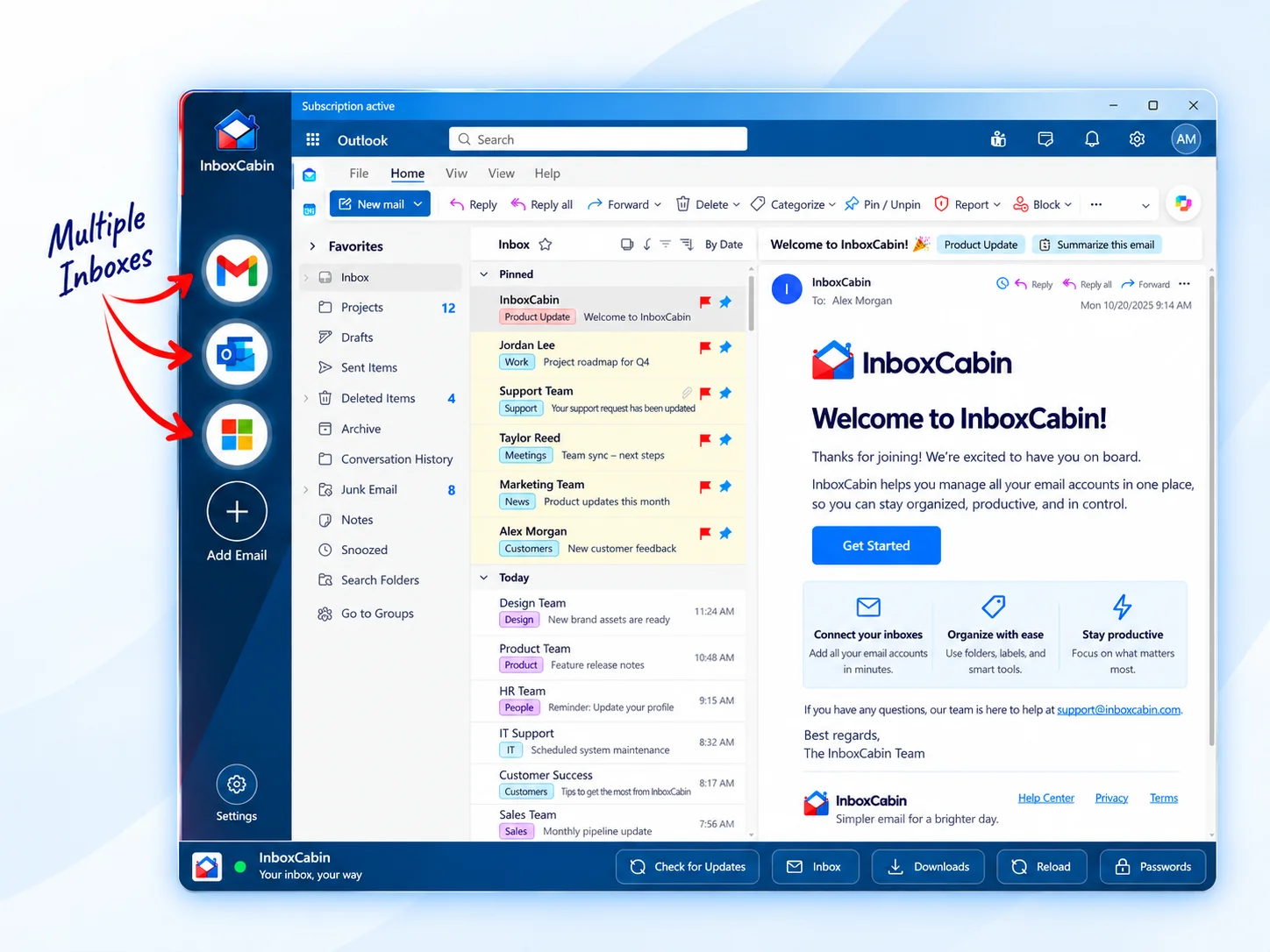
InboxCabin is built for users who want Gmail and Microsoft inboxes in one dedicated desktop app, without turning their email manager into a lifestyle platform.
You connect your inboxes, keep them in a clear left-hand navigation, and switch between them quickly. Your browser stays free for everything else. That gives you a clean division between communication and the rest of your web activity.
Just as important, the experience is understandable. You do not need a long mental model to know where your accounts live or how to move between them. If you are coming from a more complicated setup and want to simplify, that clarity can feel refreshing almost immediately.
If your biggest complaint with Shift is not that it lacks power but that it now asks too much of you, a lighter tool may be the better answer than a more elaborate replacement.
This preference for fewer distractions is also explored in why some Shift users want simpler email management again. For a closer look at the desktop approach, our introduction to InboxCabin explains how separate Gmail and Microsoft inboxes fit together.
Final thoughts
There is nothing wrong with choosing a simpler tool on purpose. In fact, that may be the more sophisticated decision. Mature users know that every new feature has a cost: more learning, more interface weight, and more attention demanded from the user.
If Shift Browser feels too heavy for how you actually work, you are probably not the only one. And you do not need to keep forcing a fit just because a tool used to match your needs better in the past.
InboxCabin exists for people who want a lighter way to manage multiple inboxes. If that sounds like the real job you need solved, download it and try the simpler route.
Try InboxCabin free for 30 days. No credit card required.
Start Free TrialInboxCabin is an independent Windows app and is not affiliated with Shift. Gmail and Microsoft may require sign-in and multifactor authentication. “Lighter” describes a focused workflow, not a measured memory or speed comparison.