

Managing email is harder for property managers handling multiple properties, tenants, vendors, and ownership groups because the work is not just about reading messages. It is about juggling context, identity, urgency, and accountability all at once.
That is exactly why generic inbox advice often falls short. When you manage several important accounts, the cost of confusion is real: slower response times, missed details, and wrong-account mistakes that can make you look disorganized.
A better system does not have to be complicated. It simply needs clear boundaries, visible priorities, and a repeatable daily rhythm.
Try InboxCabin free for 30 days. No credit card required.
 Start Free Trial
Why this role gets overwhelmed so easily
People in this kind of role rarely have a true inbox problem. They have a context-switching problem. Email only feels overwhelming because every message arrives mixed together with different priorities and different expectations.
- Property communication mixes together quickly.
- Tenants, vendors, and owners all have different urgency levels.
- Documents, lease questions, and maintenance issues need cleaner structure than one giant inbox provides.
The system that works best
Good email management starts with structure, not heroics. The goal is to remove as much decision fatigue as possible before the workday gets busy.
- Organize inboxes by property or by function depending on your portfolio size.
- Use clear labels or folders for tenants, vendors, maintenance, accounting, and leasing.
- Keep documents and email relationships aligned so searching later is easier.
- Reserve separate addresses for high-volume or public-facing property communication when needed.
The daily and weekly routine
Once the structure is in place, routine matters more than intensity. You do not need to be in your inbox constantly. You need predictable intervals and predictable rules.
- Run a morning triage by property priority.
- Create response templates for common maintenance and leasing scenarios.
- Keep vendor communication separate from tenant communication when possible.
- Archive completed issue threads aggressively so active work stands out.

Where InboxCabin helps
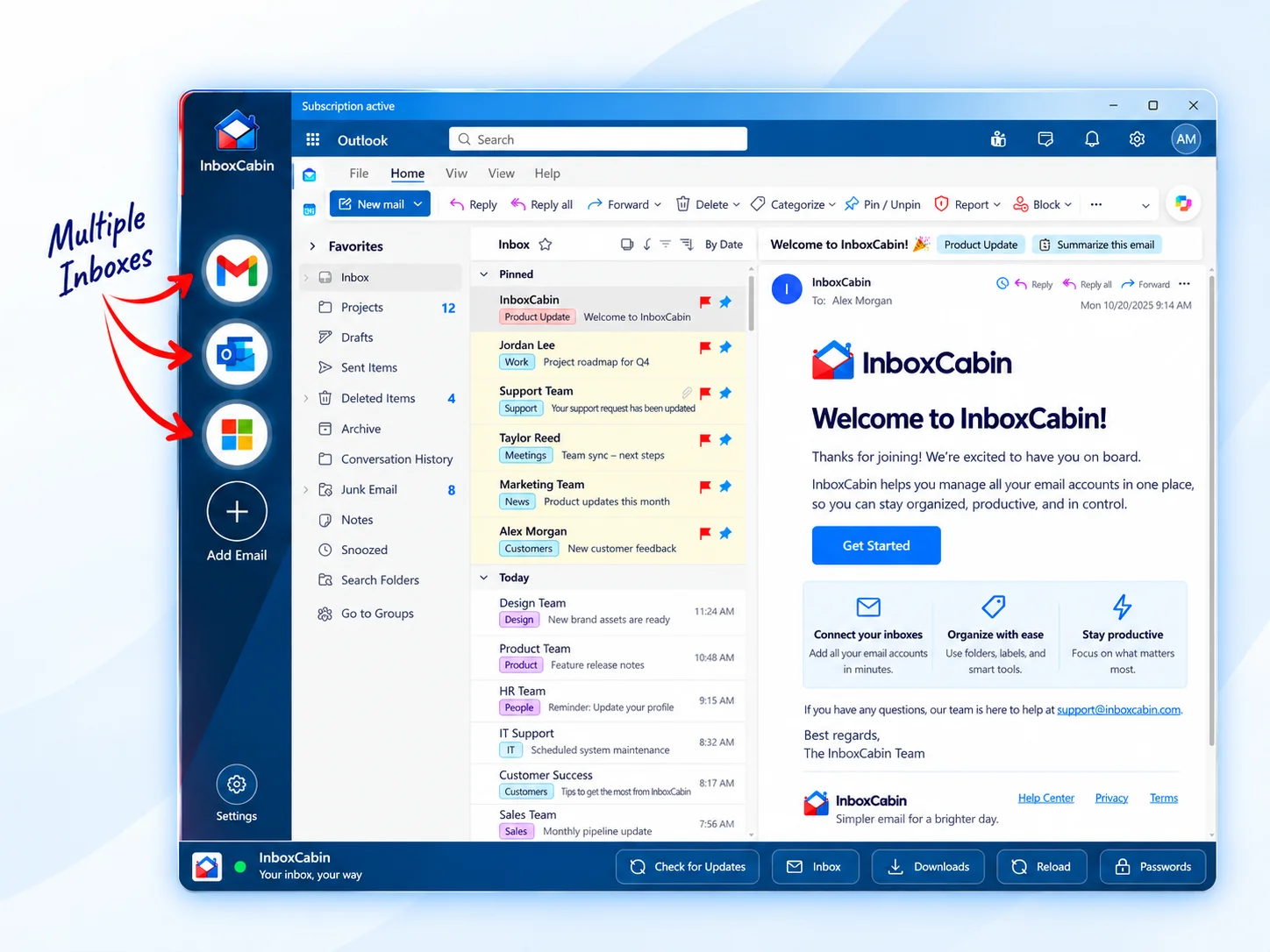
InboxCabin can help property managers who juggle multiple Gmail or Microsoft accounts because it keeps each property-related context visible in one Windows workspace without flattening them together.
That is especially useful when multiple Gmail and Microsoft accounts are part of the same workday. A dedicated workspace can keep them within reach without flattening them into one noisy browser session.
30-day free trial. No credit card required.
Mistakes that make multi-account roles harder
The biggest mistake is letting every inbox operate on its own private logic. When naming, ownership, urgency rules, and follow-up habits change from one account to the next, mental load skyrockets. People end up re-deciding the same things all day long, which is exhausting and error-prone.
- Do not leave account ownership ambiguous.
- Do not treat every message as equally urgent.
- Do not build a system that only works when one person remembers all the details.
The best systems are teachable. If someone else had to cover for you for two days, the structure should still make sense. That is a good test for whether your workflow is truly organized or just familiar to you personally.
How to improve the system over time
Start simple, then review the setup after two or three weeks of real use. Remove categories that nobody actually uses. Tighten naming. Consolidate weak rules. Add structure only where confusion keeps recurring. Good email systems usually improve through small refinements rather than one giant redesign.
Bottom line
A strong email system should make your work feel calmer, more predictable, and easier to hand off or scale. If your current setup still feels ad hoc, a small structural change can pay off quickly.
Related reading: Gmail Labels vs. Outlook Folders: How to Organize Both, How Marketing Agencies Can Manage Multiple Client Email Accounts, Email Forwarding vs. Separate Inboxes: Which Is Better?.
Try InboxCabin free for 30 days. No credit card required.
Start Free Trial