

Forwarding feels simple, but simple is not always the same as manageable.
That is why it helps to separate the underlying ideas instead of assuming email forwarding and separate inboxes are interchangeable. They might all help with email, but they create very different outcomes once real work, shared responsibility, or multiple accounts enter the picture.
The best choice is the one that supports your workflow with the least confusion a month from now, not just the one that feels easiest in the first five minutes.

Try InboxCabin free for 30 days. No credit card required.
 Start Free Trial
The core difference
Most people are really deciding how much separation they need. More separation usually means more clarity, but it also means more structure. Less separation usually means more convenience, but sometimes at the cost of context.
- Forwarding is useful when you want one address to receive copies in another mailbox.
- Separate inboxes are better when each account needs its own workflow, accountability, or brand identity.
- The more people, permissions, and mistakes involved, the more separate inboxes tend to win.
Where each approach helps
There is a reason both approaches exist. Each one can be the right choice when used for the right job.
- Forwarding can be fast and inexpensive to set up.
- Separate inboxes preserve context and reduce ambiguity.
- A clean choice early prevents future cleanup projects.
Where people get burned
Confusion usually starts when one tool or concept is asked to behave like another. That is where email systems slowly turn into workarounds.
- Forwarded mail often muddies context and makes it harder to know where a reply should come from.
- Separate inboxes require a real management system to stay organized.
- Most teams overuse forwarding because it looks easier in the beginning.
How InboxCabin fits
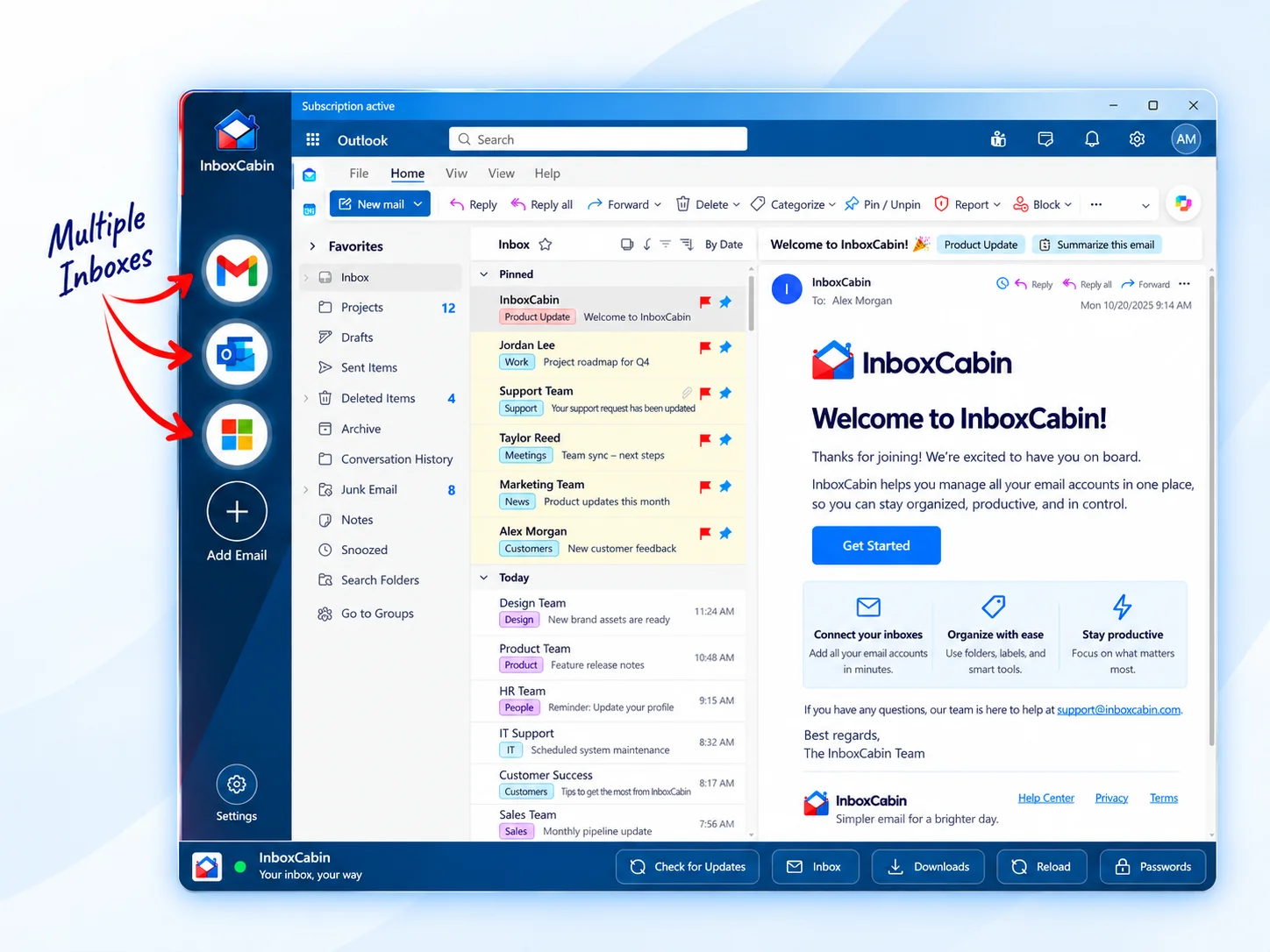
If you choose separate inboxes, InboxCabin helps keep them together in one Windows workspace without flattening them into a single messy browser environment.
30-day free trial. No credit card required.

A simple decision framework
If the email identity truly matters, preserve separation. If it is basically the same identity wearing a slightly different hat, a lighter-weight option may be enough. Either way, choose intentionally rather than inheriting a messy setup by accident.
- Forward only low-stakes mail or temporary transitions.
- Use separate inboxes for client-facing, department, or role-based communication.
- Make sure reply identity is obvious before you forward anything important.
- Audit forwarding rules quarterly so hidden complexity does not pile up.
For definitions and provider-specific behavior, it can help to review Google’s Gmail Help and Microsoft Outlook support for the platform you use most.
A practical way to think about the decision
One of the easiest ways to choose is to ask what would happen if the email address suddenly became much more important. If the answer is that it would need its own permissions, its own accountability, or its own history, then you probably need more separation. If the answer is that it is still basically the same role and the same person, a lighter-weight setup may be fine.
This matters because email systems tend to grow. A shortcut that feels harmless with one or two addresses can become confusing when a business adds staff, clients, or new operational responsibilities. The cleanest decisions are the ones that still make sense after the business gets a little more complex.
- Optimize for clarity first.
- Use the lightest structure that still preserves accountability.
- Revisit the choice when the role of the address changes.
Most long-term email headaches come from small structural compromises made early. A few extra minutes of planning now can prevent a lot of cleanup later.
Bottom line
You do not need the most complex email architecture. You need the smallest one that still preserves clarity.
Related reading: Email Alias vs. Separate Email Account: Which Should You Use?, Unified Inbox vs. Separate Accounts: What’s the Difference?, How Marketing Agencies Can Manage Multiple Client Email Accounts.
Try InboxCabin free for 30 days. No credit card required.
Start Free Trial